SodPro helps sod and turf installers prepare a professional quote while they are still at the job site. This overview follows the workflow shown on the SodPro website and helps you gather what you need before you begin.
Before you start
Have the customer's contact information, job address, measurements, materials, labor, delivery costs, add-ons, and applicable tax ready. Confirm every figure before sending a quote.
Step 1: Enter the customer and job details
Add the customer name, phone number, email address, and job address. Check spelling and contact details so the finished quote goes to the right customer.
Step 2: Describe the work
Enter the quote details by talking or typing, just as you would explain the job to a helper. Include the work and materials that belong in the estimate.
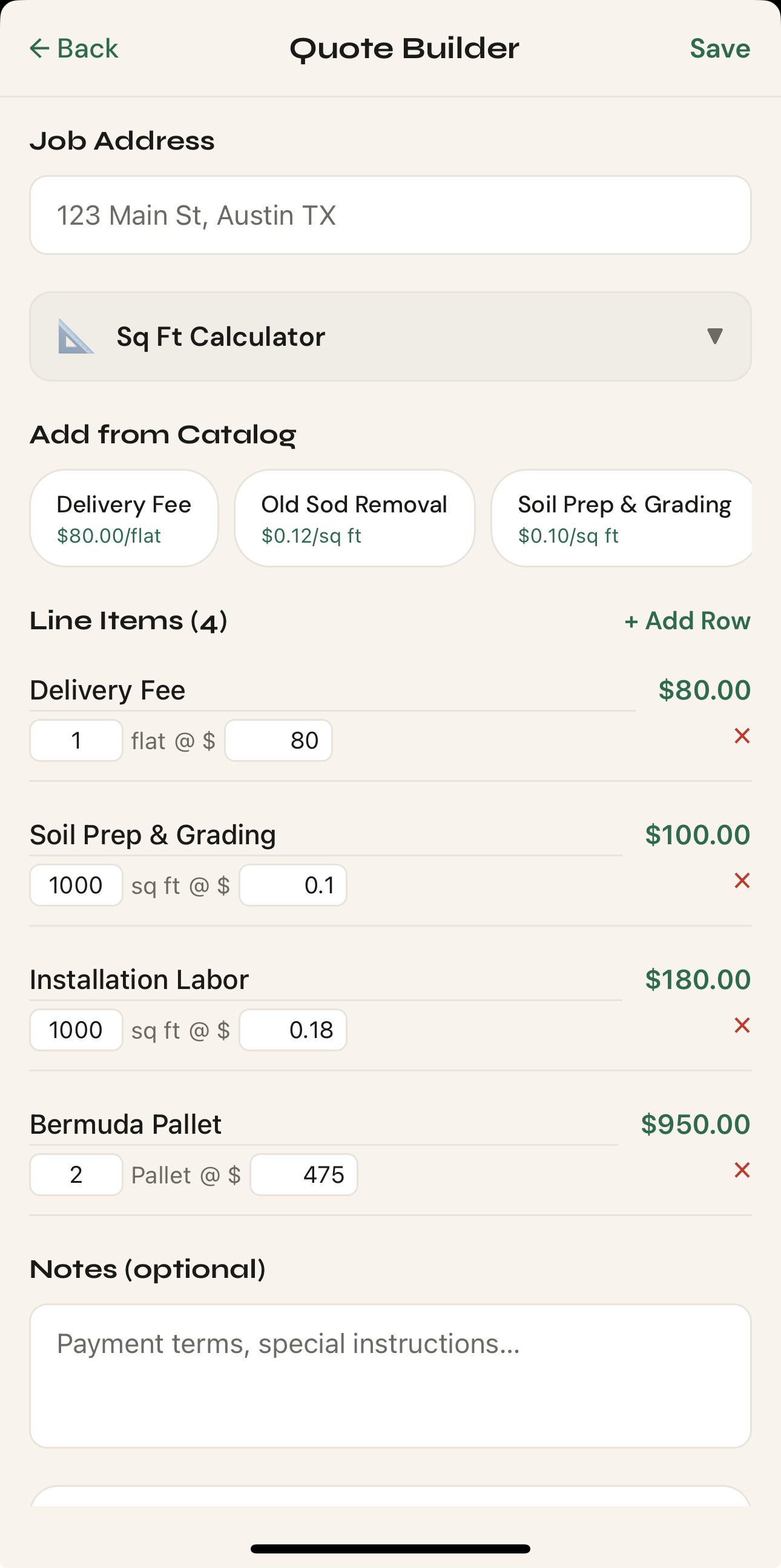
Step 3: Review the estimate
Review the generated estimate. Check line items, materials, labor, delivery, add-ons, tax, and totals. Make any needed edits before continuing.
Step 4: Send the quote
When everything is accurate, send the professional quote using the available text or email workflow. Keep the customer's preferred contact method in mind.
What to do next
For a closer look at the review process, read How to Create a Professional Sod Installation Estimate. If the app does not behave as expected, use the SodPro support form and include a concise description of what happened.
Was this helpful?
Tell us what was missing through the support form.