Use this checklist to prepare a complete sod installation estimate in SodPro. The steps reflect the public SodPro quote workflow and focus on the information to verify before a quote is sent.
Watch the SodPro quoting process
This quick video walks through creating and sending a professional sod installation estimate with SodPro.
Step 1: Gather the job information
Walk the property and collect the customer's contact details, job address, measurements, requested sod or turf, labor needs, delivery costs, add-ons, and applicable tax.
Step 2: Add the customer details
Enter the customer name, phone number, email address, and job address. Verify the phone number or email address that the customer wants you to use.
Step 3: Describe the installation
Talk or type the quote details into the quote builder. Describe the scope clearly and include the costs that should appear in the estimate.
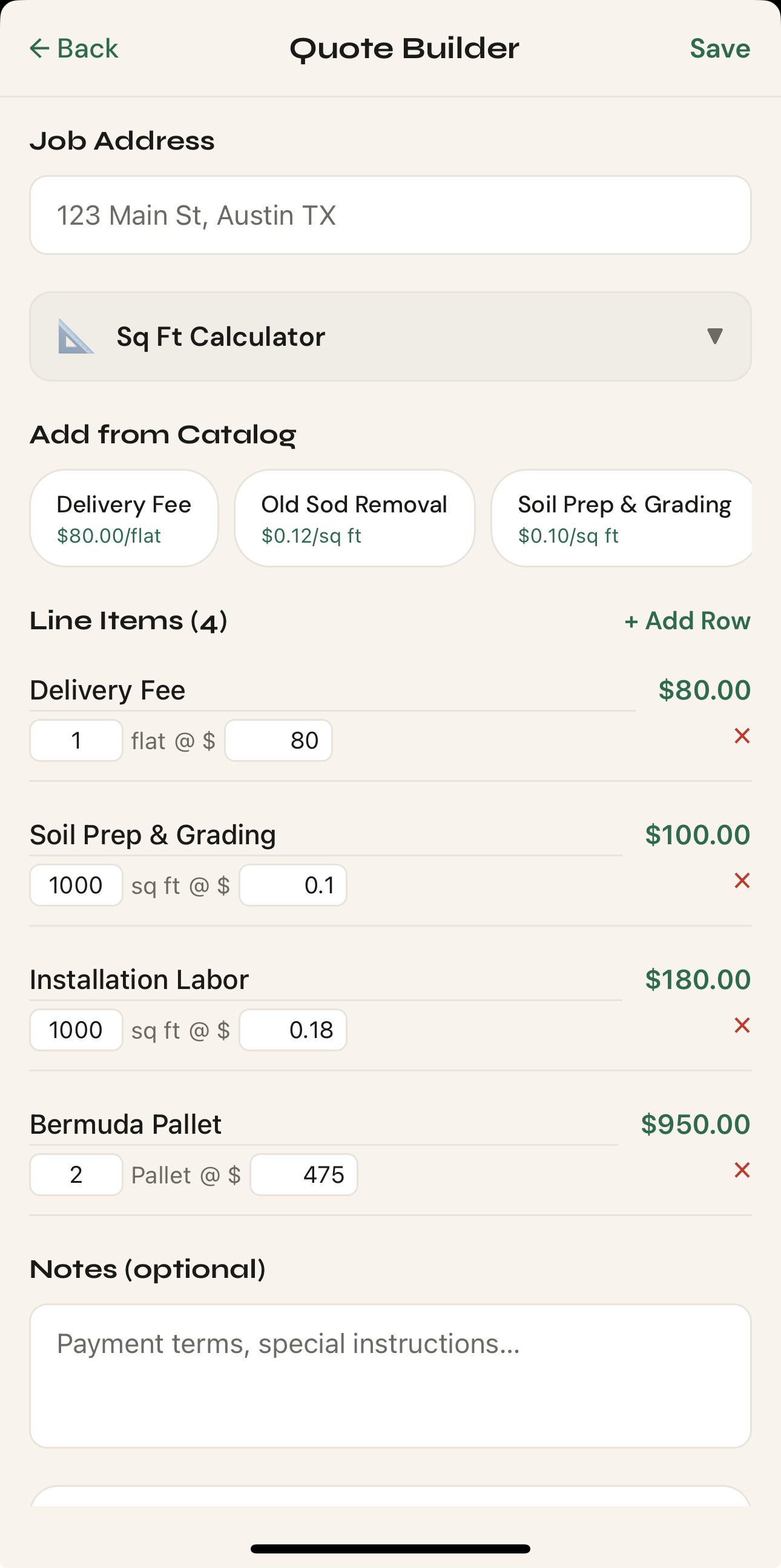
Step 4: Review every line item
Review the estimate for materials, labor, delivery, taxes, and add-ons. Edit anything that is missing or incorrect and confirm the total against your own job notes.

Step 5: Send the finished quote
After confirming the customer details and totals, use the available text or email workflow to send the professional estimate. If you need general orientation first, read Getting Started with SodPro.
If you need help
If you cannot complete the workflow, contact SodPro support. Include the stage where the issue occurred, what you expected, and a screenshot when it is safe to share one.
Was this helpful?
Tell us what was missing through the support form.